Driving Test Simulator controls
| Action | Keyboard / mouse |
|---|---|
| Drive and steer | W, A, S, D |
About Driving Test Simulator
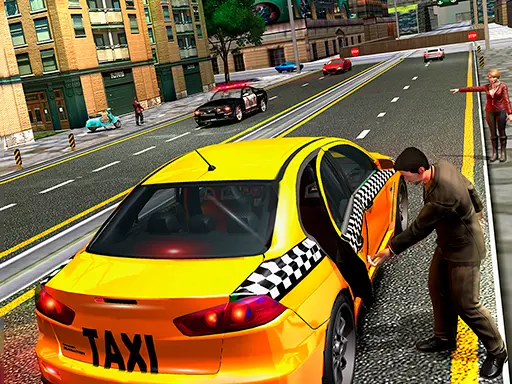
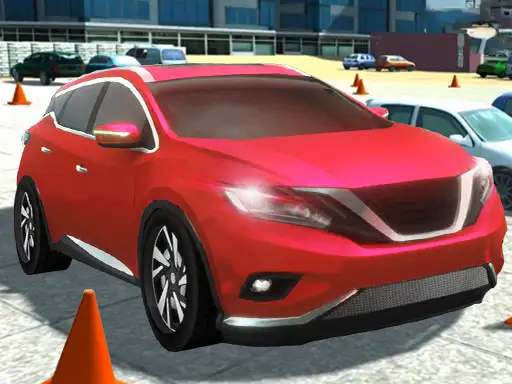
Driving Test Simulator is a 3D game built around precise manoeuvres. Each level sets out a short course on a training ground, with cones, parked cars and barriers, and a marked position where you need to stop. Get there without touching anything and you pass; clip a cone and you try again. If you are looking for a driving test game that rewards precision rather than speed, this is it.
It is closer to a parking game than a road trip, which is why it sits nicely between our parking games and our other driving simulators. There are plenty of levels, and each one adds a new twist to the layout.
How to play Driving Test Simulator
Controls
Use W to accelerate, S to brake and reverse, and A and D to steer.
The objective
Drive to the marked position and stop inside it. Any crash fails the attempt.
Progression
Early levels are short and wide. Later ones introduce tighter gaps, more obstacles and turns that require reversing.
Tips to pass every test
- Treat the cones like a real examiner would. Touching one means failing, so leave a margin.
- Use low speed. Every manoeuvre is easier when the car is barely moving.
- Reverse to correct. If your angle is wrong, back up and try again rather than forcing it.
- Look at the end position first. Plan the route backwards from where you need to stop.
- Keep the wheels straight when you stop. It helps you finish neatly inside the marked area.
Driving games and the real test
The UK driving test includes manoeuvres such as reverse bay parking and pulling up on the right. Driving Test Simulator has a similar spirit, but its physics and controls are simplified, so treat it as a game and book real lessons for the real thing.
Your first few levels
Treat the first levels as warm-up laps. Drive the whole course at very low speed, stopping completely before every change of direction. Once you can finish without touching a cone, try the same level a little faster. Speed is never the goal in this game, but a smooth, confident drive feels much better than a nervous one.
Common mistakes
Most failures come from turning too early. The front of the car clears a cone, but the rear wheels follow a tighter line and catch it. The fix is to drive a little further before turning. The second most common mistake is stopping slightly short of the marked position, then nudging forward and hitting something.
Who will enjoy Driving Test Simulator
It suits players who like precise challenges. For a strict parking simulator, try Precision Parking: City Driver, or for a calm drive with a big vehicle, play School Bus Simulation. See all our driving games.
Games like Driving Test Simulator on mobile
There is no official Driving Test Simulator app, but you can play it right here in your browser. If you would rather have an app on your phone, these free games on the App Store and Google Play offer a similar experience:
Dr. Driving
By SUD Inc. · Driving and parking missions in city traffic, from the same studio as Dr. Parking 4.
Traffic Racer
By skgames · Endless high-speed driving through traffic, with car upgrades between runs.